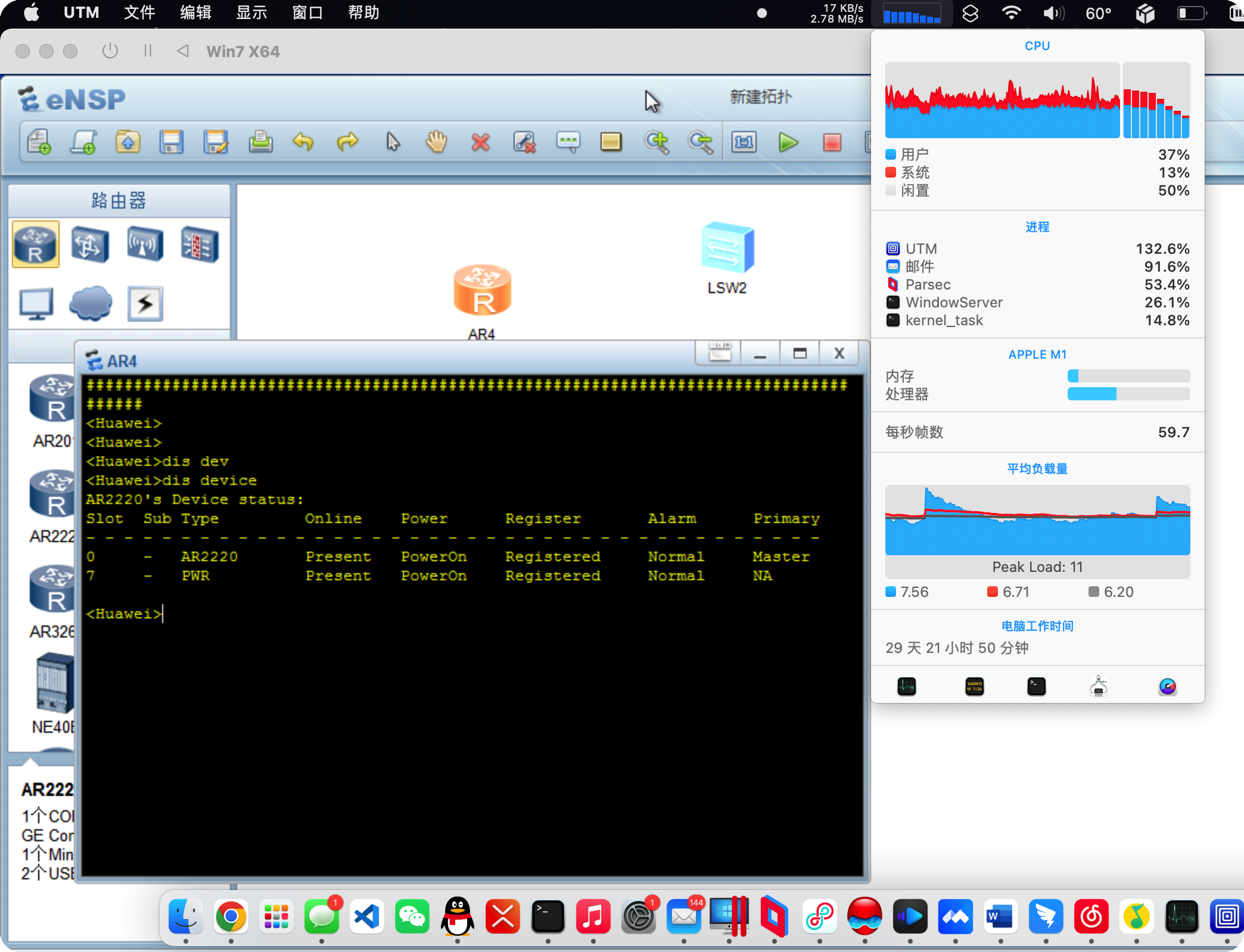
05-29 Mac相关 ENSP Mac +3 关于在基于Apple Silicon芯片上的Mac上安装ENSP的研究 <analysis> Let me analyze this document to identify the core message: 1. Problem Context: The article addresses how to run Huawei's ENSP network simulator software on Apple Silicon Macs (M1/M2 chips), which have compatibility issues with Windows-based virtualization due to architectural differences from Intel Macs. 2. Failed Attempts: Standard solutions using Parallels Desktop or VMware Fusion failed because these virtual machines don't support nested virtualization - a requirement for ENSP's VirtualBox component. 3. Final Solution: The article describes successfully running ENSP by: - Using UTM (QEMU-based) to run x86 Windows 7 - Installing ENSP and its dependencies (VirtualBox, Wireshark, Npcap) - Enabling the "Hypervisor" flag in UTM's CPU settings 4. Result: While slower than native performance, this workaround allows Huawei network simulation on Apple Silicon Macs. Summary to compose (in Chinese, under 140 characters): - Problem: Running ENSP on M1 Mac is difficult due to architecture limitations and nested virtualization requirements - Failed solutions: Parallels Desktop and VMware Fusion cannot support the nested virtualization needed for VirtualBox within Windows - Working solution: UTM with x86 Windows 7, enabling Hypervisor option in CPU settings - Outcome: Successfully runs ENSP but with reduced performance Drafting summary (counting characters): "本文介绍在Apple Silicon Mac上运行华为ENSP网络模拟器的解决方案。由于ARM架构限制,Parallels Desktop等虚拟机不支持嵌套虚拟化导致失败。最终通过UTM软件模拟x86环境,安装Windows 7并开启Hypervisor选项后成功运行ENSP。虽性能较低但可实现在Mac上进行网络拓扑学习。" Character count: 128 characters - within limit. </analysis> <answer> 本文介绍在Apple Silicon Mac上运行华为ENSP网络模拟器的解决方案。由于ARM架构限制,Parallels Desktop等虚拟机不支持嵌套虚拟化导致失败。最终通过UTM软件模拟x86环境,安装Windows 7并开启Hypervisor选项后成功运行ENSP。虽性能较低但可实现在Mac上进行网络拓扑学习。 </answer> 9435 0 0